

Call of Duty: Modern Warfare 4 - Screenshot 1


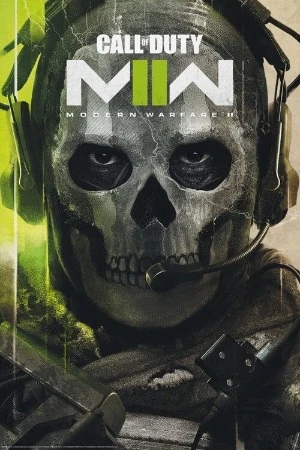
War erupts on the Korean Peninsula as North Korea launches an invasion that threatens to destabilize the world in Call of Duty®: Modern Warfare® 4. A young squad of South Korean soldiers fight to survive on the collapsing front lines, while half a world away a vengeful Captain Price wages a personal war from the shadows as he stays one step ahead of those hunting him.
Modern Warfare® 4 pushes the series into darker and more dangerous territory, where consequence and escalation bring long-running storylines to a powerful and emotional breaking point. Campaign drops players into trench warfare in Korea, close-quarters combat in New York, high-octane chases through Paris, SAS night raids in Mumbai, and city-wide assaults to reclaim occupied territory. Fight as Private Park, a young South Korean soldier facing live combat for the first time alongside his squad. Beyond the front lines, Operator-turned-outlaw Captain Price is operating outside the system he once served.
Multiplayer delivers grounded, precise combat where fluid movement, player choice, and greater control define every engagement. Large-scale maps return, combining vehicle and infantry combat across locations shaped by the campaign’s global conflict. From tight, close-quarters combat to open battlefield engagements, Multiplayer is designed to keep every fight fast, tactical and competitive. In DMZ, players operate as an off-the-books asset behind enemy lines, where every extraction run into contested territory forces hard choices about which objectives to pursue, what to secure, and when to get out. Loot, fight, negotiate, betray and extract with whatever you can carry. DMZ is the definitive Call of Duty® extraction experience, a living combat sandbox where every deployment is a new story.


Step-by-step setup process
Please review these important details before installation
Install necessary apps from Redist or _CommonRedist to ensure game launches without any problems.
Always extract game in Antivirus / Defender excluded folder - Please check our FAQs to know why it is important.
Always run the game as administrator.
For detailed guide, make sure to read Installation Guide.txt inside the game files.
Minimum specifications needed
Action
200912.30 GB
Action
201114.00 GB
Action
2019191.90 GB
Action
202447.20 GB
Action
202289.10 GB
Community voices
Spot the sentiment at a glance, then dive into the stories that matter to you.
Average
/5recommend
84%
written
44
verified
55
Quick filters
Rating spread
Constructive critique
dadi
1.0/5 • the game on the mission qhen you crash with the...
New Challenger
sean.small74
1.0/5 • still slop game has big memory leaks and forced...
New ChallengerFresh off the press
Look for it at the top of the stream.
best experience so far. but sometimes feels laggy during cutscene

I just finished the campaign best one but will there be multiplayer?
good campaign. it works flawlesly
Leaving AnkerGames
Your about to visit the following urlInvalid URL
Sign in to join the discussion · comment, reply and react
Discussion
Comments 449
Pinned by moderators
Carzed
Mod · editedRun the game from !start_sp26.bat file inside game folder if Run Me!.bat file isn't working.
COD MW4 ACCESS DENIED AND KERNALBASE.DLL FIX - Video - https://youtu.be/pV7dGfdpz-c?si=K30AYzcYusCaZDLQ
1. Download this bat (provided in gofile link) paste it in in the game folder(click replace when it is prompted) - https://gofile.io/d/qEgcuPbV
2.Create a shortcut of sp26-cod.exe which is inside call of duty mw4/sp26 folder and add this at the end of the target line: hdeyguxs3zaumvlgvybm2vyc
3.Run !start_sp26.bat and let it run until you see pause 1>nul
4.Run the game from the sp26-cod.exe shortcut
5.Google how to give admin access to the folder and if the game stuck in ricochet screen try disabling overlay and then launch the exe as admin
COD MW4 TEXTURES FIX
Open the terminal/cmd in the game folder (right-click -> open terminal) and run this command:
mklink /J "sp26\pak_cache" "xpak_cache"
Enter so it's saved, then go to (game folder)/sp26/steam_settings and open configs.main.ini.
and change these two:
[main::connectivity]
disable_lan_only=1
offline=0
(If disable_lan_only=1 is not in the ini, add it, and then save and start the game. The texture should be working now.)
Language Files Link
https://0807.st/oDn7tz4.zip - Simplified Chinese
https://0807.st/LiDGlcf.zip - Polish
https://0807.st/ZdQkDdX.zip - Portuguese Brazil
https://0807.st/8JiUU9h.zip - Italian
https://0807.st/mstPaos.zip - French
https://0807.st/lzsEOc7.zip - German
https://0807.st/GtMkITk.zip - Russian
https://0807.st/h2EeHUO.zip - Arabic
https://0807.st/GuPxhzC.zip - Traditional Chinese
https://0807.st/TcTyJVM.zip - Spanish - Latin America
https://0807.st/r1Kjd60.zip - Spanish - Spain
https://0807.st/ryO1PH6.zip - Korean
https://0807.st/q6J4eRC.zip - Japanese
Paste the link in your browser, download and extract your preferred language files. Copy the files inside that language folder and Paste into your game folder i.e Call of Duty Modern Warfare 4 where the !start_sp26.bat is.
Then change language in configs.user.ini file inside Call of Duty Modern Warfare 4\sp26\steam_settings folder as shown below depending upon which language you want.
language=arabic
language=english
language=french
language=german
language=italian
language=japanese
language=koreana
language=polish
language=brazilian
language=russian
language=schinese
language=latam
language=spanish
language=tchinese
paddupadma
when the cinematics ends the game is not starting from the super market just black screen
Rejoan Khan
· editedThe game just work to intro. After intro it will show black screen and then nothing happen
gsguimaraes
i cant use the E in the tower mission how fix it?
arda
thanks🫡
Kari
· editedI downloaded the file, but the game is not running! I've clicked the application once and twice but nothing pops up, I've tried running it as an administrator and it still doesn't open/run. How can I fix this?
wittniel
i have 2 issues, 1 i cant use my controller even when im running ds4, 2 im stuck on a mission because for some reason i cant use my E keybind to deploy a drone. I tired switching my keybinds to see if itll work but it doesnt work no matter what i do the game wont let me deploy the drone. i tried switching keyboards and everything nothing that i do works
Abid Hasan
· editedHey when i start to play the game for some second it was good but then it freezes my whole pc and i had to power ups then again open the pc everytime i tried to play this happened.Is there any solution?or i have to unistall and forget this game
govind Shukla
· editedI have completed my campaign now i want to play online how can i play
akay
· editedhello I'm having cut scene lag on my rtx 2060 normal setting or even on low setting any fixes?
noodle
· editedcan you playu multiplayr?
yash
· editedcant launch
Konstantin
· editednothing for online right?
dave
· editedfirst, i was having a kernelbase.dll error when i update my gpu driver kendel error was gone but there is a next one. I was facing directx error it says
DirectX Error
Your GPU driver does not meet the recommended version. It is strongly advised that you update your GPU driver.
i already update to the nwest version
tzsam16
· editedtextures look like shit even on the highest graphic settings and in 1440p, is this missing the High Quality textures?
Ajim Shaikh
· editedGame Stuck on Ricochet Screen