

Anker Launcher · free for Windows and Linux
Every game on AnkerGames, in one launcher
A free game downloader and launcher for your PC. Browse the catalogue, download with resume and hash checks, update in one click, and press Play.
- In the catalogue
- 2,152 games
- Updated this week
- 210 games
- Latest build
- Runs on
- Windows · Linux · Steam Deck
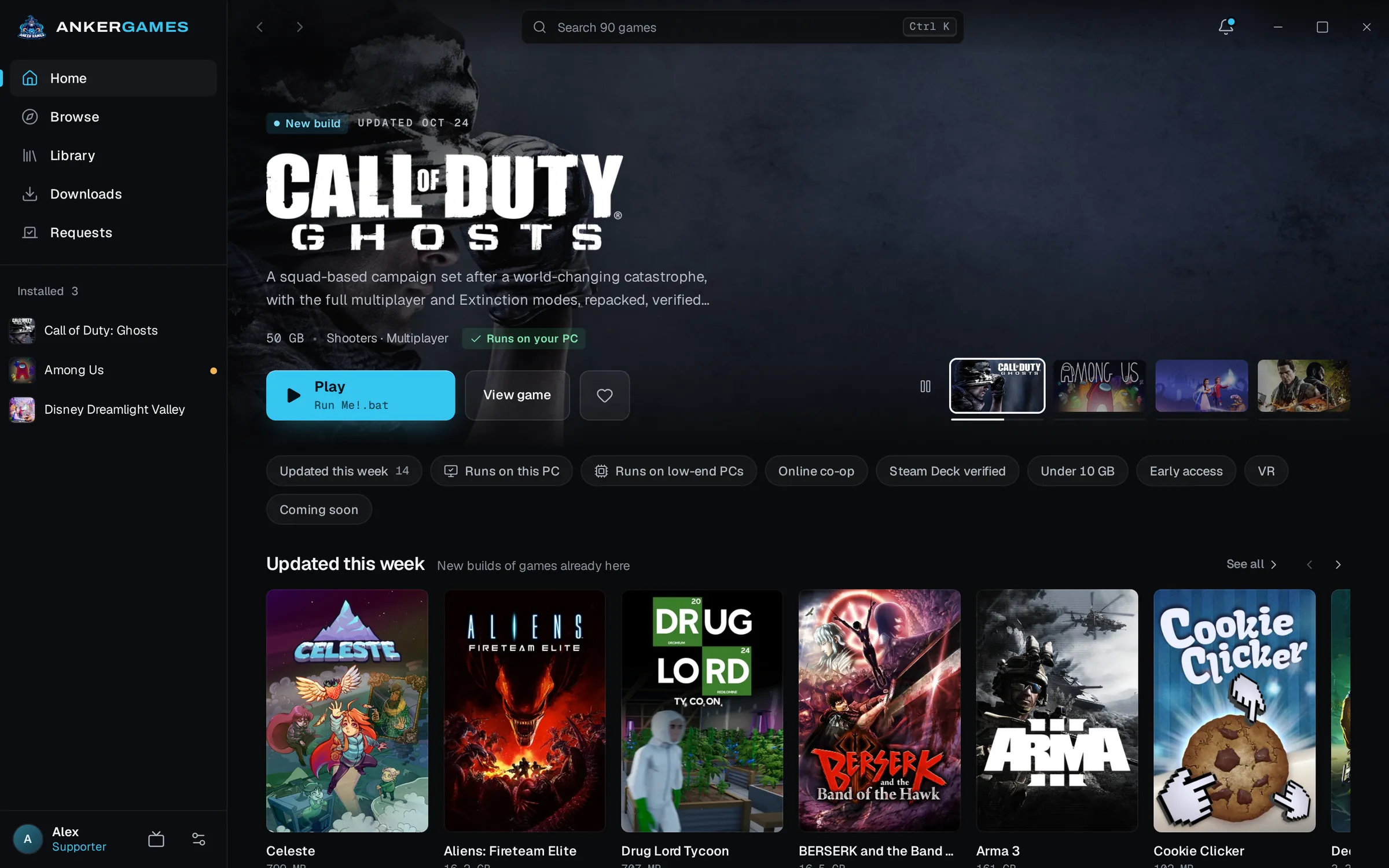




Downloads
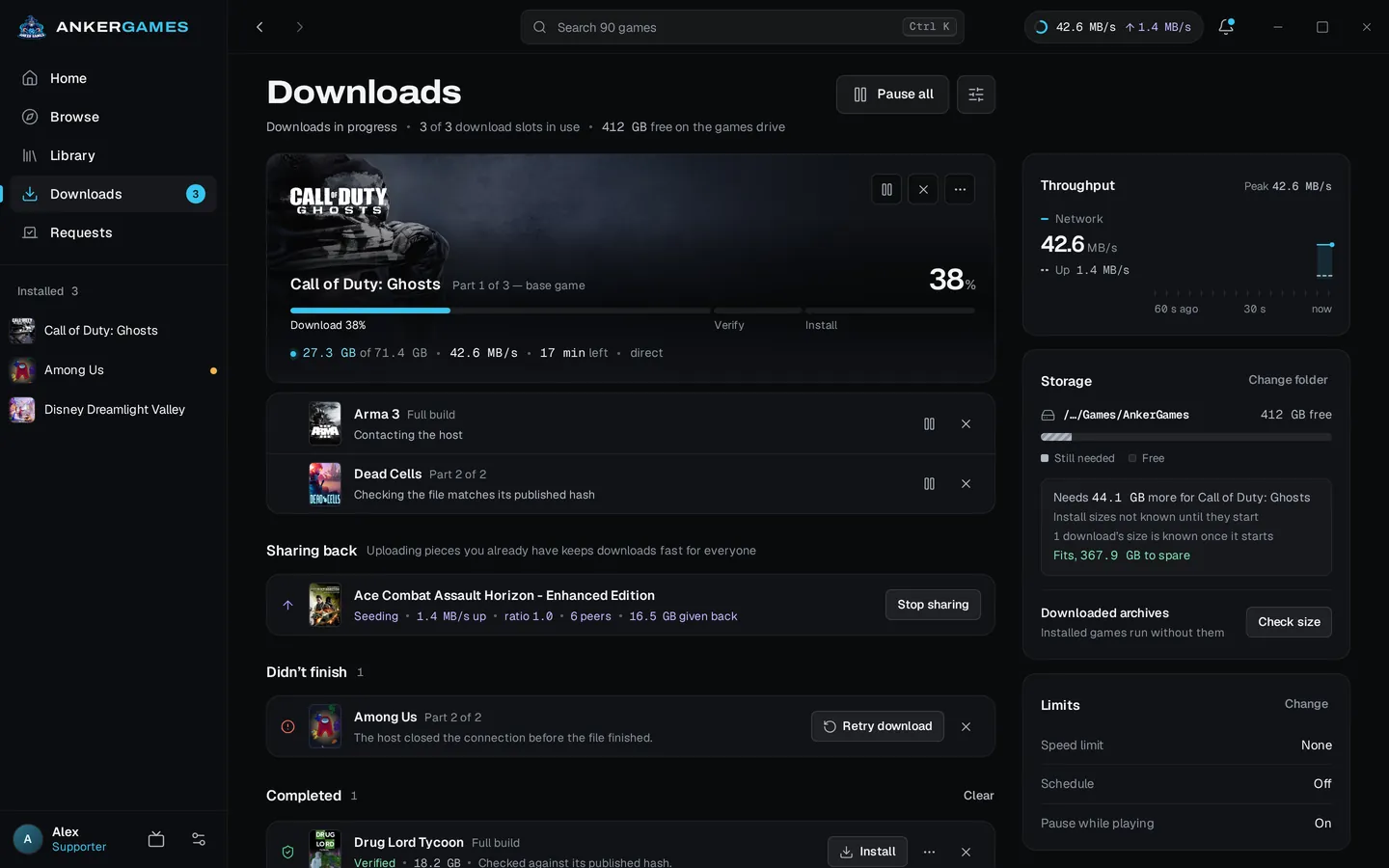
Downloads that finish, and files that are checked
Pause, restart the PC or lose the connection, and the download carries on from where it stopped. Every archive with a published hash is checked before it is unpacked, so a damaged file never becomes a broken install.
- Resume after a restart
- Hash-checked
- Speed limit and schedule
- Pauses while you play
Updates and library
Know when a build changes
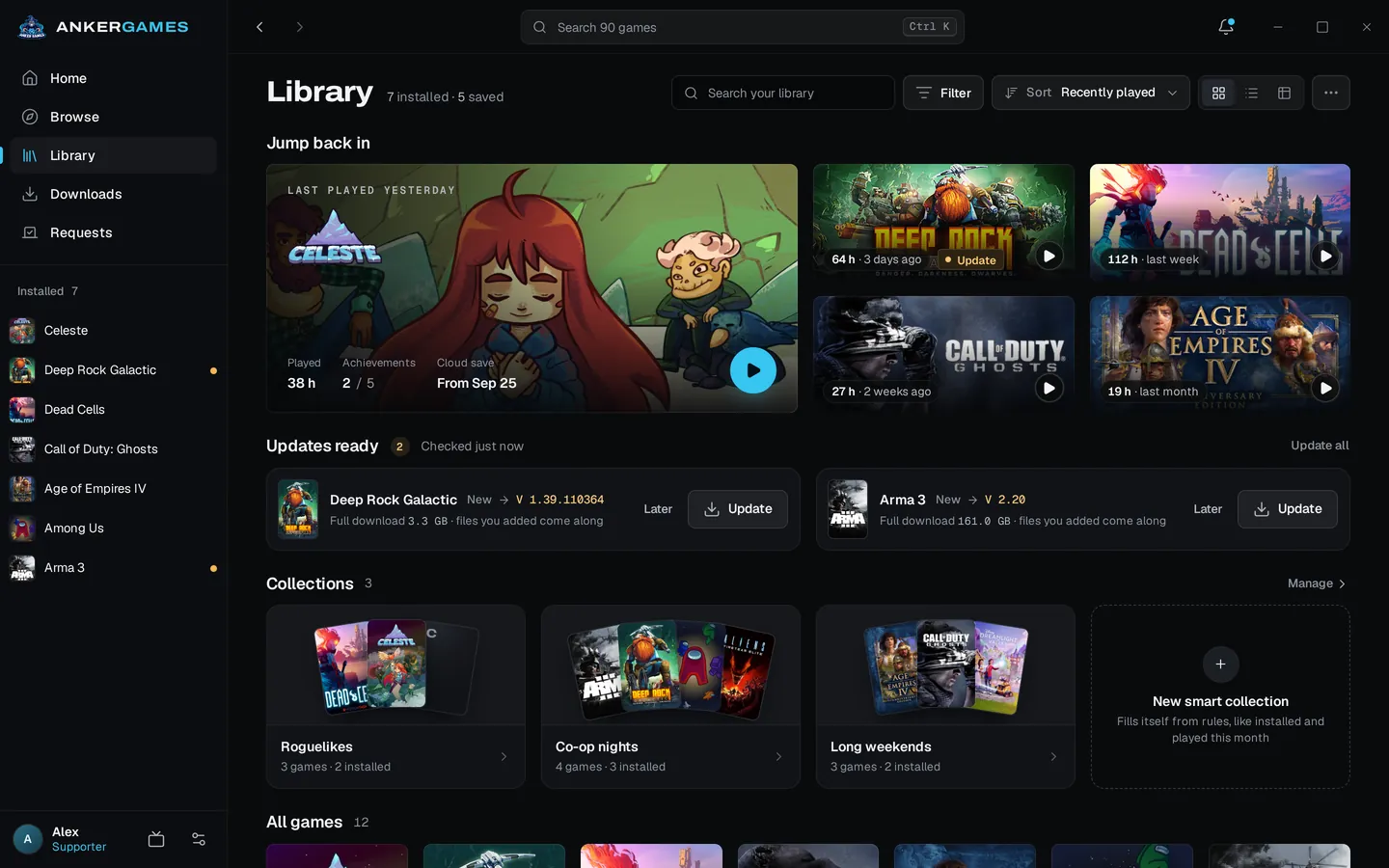
The launcher knows the build you installed and the build the site has now. A newer one puts the game under Updates ready, and one click brings it current, keeping the files you added.
- Updates ready
- Smart collections
- Add your own games
Play
Press Play, and it starts
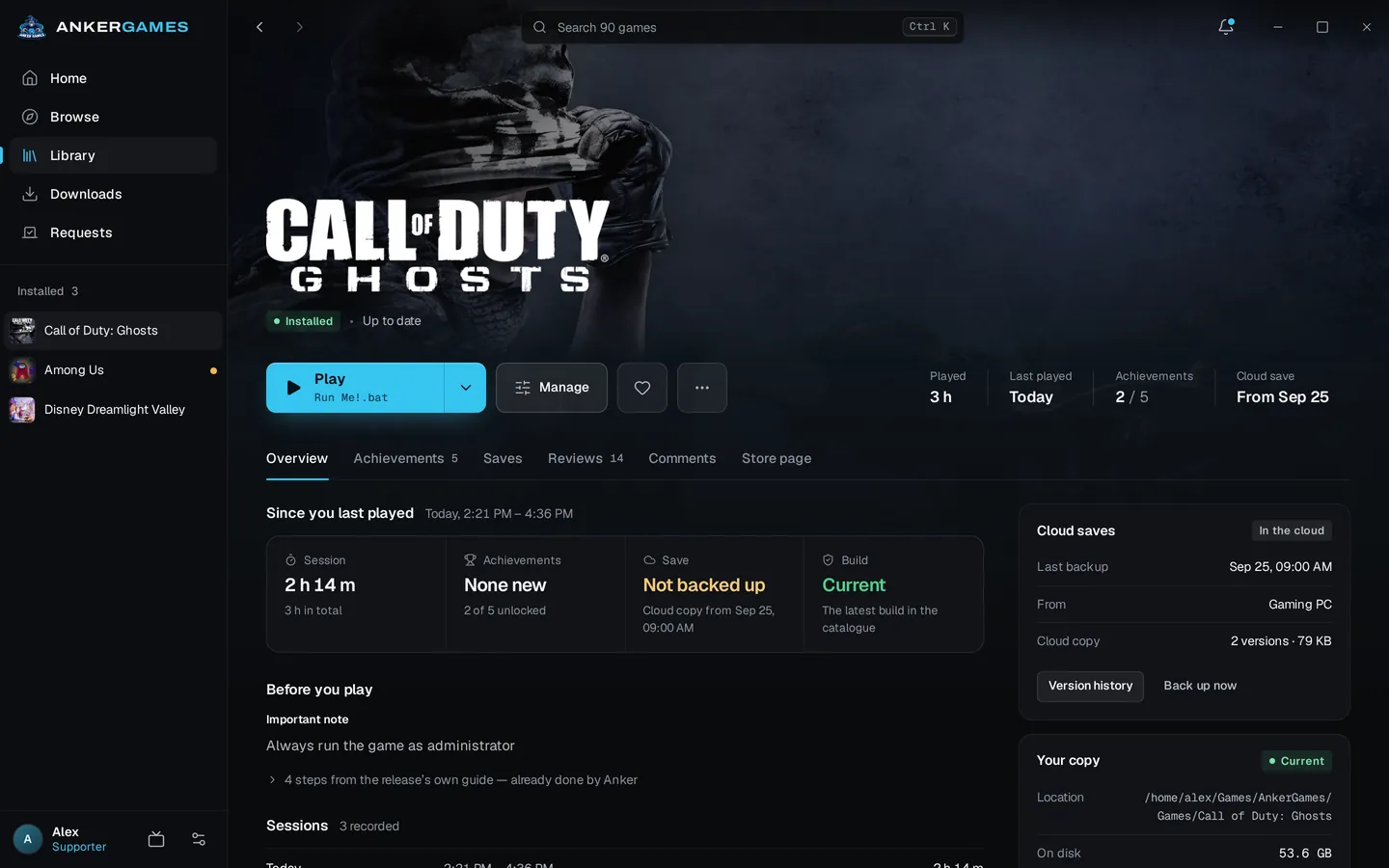
It finds the game's real executable, installs the Visual C++ and DirectX runtimes the game ships with, and checks your saves first. Playtime is counted, and achievements show with their real names.
- Runtimes installed
- Will it run on this PC?
- Save backups
- Achievements
Linux and Steam Deck
Windows games, on Linux
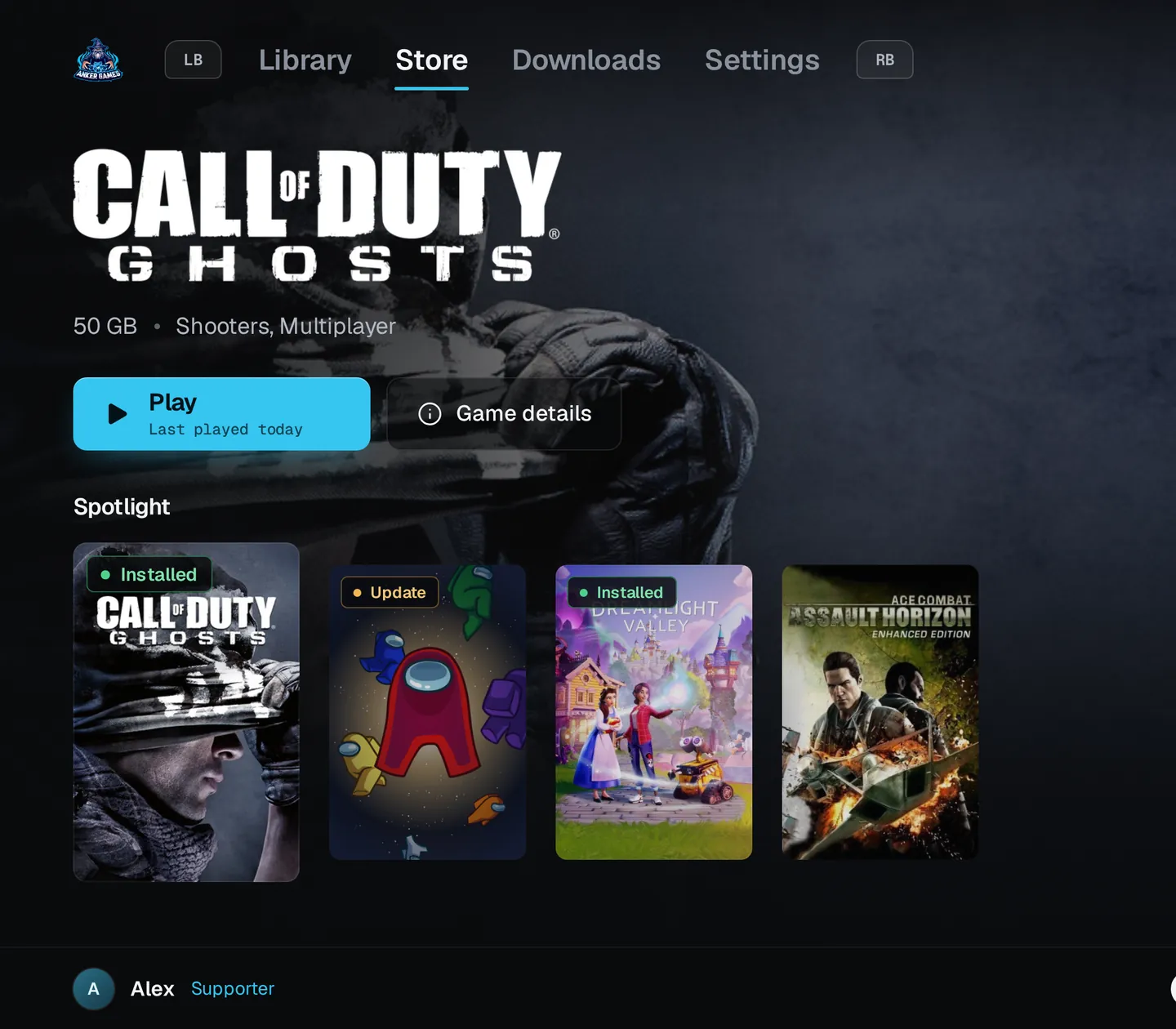
On Linux the launcher runs Windows builds through Proton and sets it up for you. On a Steam Deck it opens straight into Big Picture in Game Mode, made for a controller.
- 1Download the AppImage in Desktop Mode
- 2Add it to Steam as a non-Steam game
- 3Start it from Game Mode
By hand, or with the launcher
- A dropped download
- From the website: Starts again in the browser
- With Anker Launcher: Carries on where it stopped
- A damaged file
- From the website: Found when the game will not start
- With Anker Launcher: Caught by the hash check first
- Unpacking
- From the website: WinRAR or 7-Zip, then pick a folder
- With Anker Launcher: Done for you, in your games folder
- Runtimes
- From the website: Run each installer in _CommonRedist
- With Anker Launcher: Installed before the first launch
- A new build
- From the website: Check the game page now and then
- With Anker Launcher: Listed under Updates ready
- Your saves
- From the website: Copied by hand, if at all
- With Anker Launcher: Backed up before a restore replaces them
| Step | From the website | With Anker Launcher |
|---|---|---|
| A dropped download | Starts again in the browser | Carries on where it stopped |
| A damaged file | Found when the game will not start | Caught by the hash check first |
| Unpacking | WinRAR or 7-Zip, then pick a folder | Done for you, in your games folder |
| Runtimes | Run each installer in _CommonRedist | Installed before the first launch |
| A new build | Check the game page now and then | Listed under Updates ready |
| Your saves | Copied by hand, if at all | Backed up before a restore replaces them |
Free, with every game
Every game in the catalogue downloads for free. Supporting the site buys speed and convenience, never games.
Free
$0- Every game in the catalogue
- 1 download at a time, 4 connections
- Save backups on this PC
- A short wait before each download
Supporter
From $5 a month- 5 downloads at a time, 16 connections
- Cloud saves, 512 MB, restored on any PC
- No wait before downloads
Open in Anker Launcher
Open games from the website
Every game page has an Open in Anker Launcher button that takes you straight to that game in the app. It works once the launcher is installed and its website links are on.
- 1
Install Anker Launcher
Download it for Windows or Linux, and sign in with the code it shows.
- 2
Turn on website links
In the launcher, open Settings, then Account & devices, and switch on Open website links in Anker. It is there from version 0.1.20.
- 3
Press Open in Anker Launcher
Back on a game page, press the button. Your browser may ask once which app to open it with.
Questions
Something else? Contact us
Yes. The launcher is free, and every game in it downloads for free. Supporting the site adds faster downloads and conveniences; it never unlocks games.
The installer is not signed with a paid code-signing certificate yet, so Windows SmartScreen may say "Windows protected your PC". Choose More info, then Run anyway. Download the launcher only from this page.
You can browse the whole catalogue without one. To download, sign in: the launcher shows an eight-character code, and you approve it on the website while signed in. No password is typed into the app.
Those organise games from other stores and sources. Anker Launcher is made for the AnkerGames catalogue: it downloads each game's own release, checks it against its published hash, installs the runtimes it ships with and tells you when the site has a newer build.
In a games folder you choose when you first start the launcher, on any drive. You can move a game to another drive later, and add games you already have.
The AppImage runs on 64-bit distributions from Ubuntu 22.04 on, Fedora, Arch and others of the same age. Windows games run through Proton, which the launcher sets up for you.
Credits
Built on open source
Anker Launcher stands on the work of these projects. Thank you to everyone who builds and maintains them.
- TauriMIT / Apache-2.0
The desktop app shell
- ReactMIT
The interface
- RustMIT / Apache-2.0
The language the launcher's core is written in
- TokioMIT
Running downloads and network requests side by side
- aria2GPL-2.0
Torrent downloads and sharing back
- LudusaviMIT
Finding and backing up game saves
- VelopackMIT
Installing and updating on Windows
- ProtonSeveral licences
Running Windows games on Linux, by Valve
- umu-launcherGPL-3.0
Starting Proton outside Steam
- UnRARUnRAR licence
Unpacking RAR archives, by RARLAB
- sevenz-rust2Apache-2.0
Unpacking 7z archives
- minisignISC
Signing every update
- LucideISC
Icons
- ArchivoOFL-1.1
The launcher's typeface
- hls.jsApache-2.0
Playing trailers
Services it talks to: SteamGridDB (Community artwork for Change artwork), Steam (Store pictures, achievements and Steam Deck facts), Discord (Showing what you play on your profile). Steam and Proton are trademarks of Valve Corporation; Anker Launcher is not affiliated with Valve, Discord or SteamGridDB.
Why isn't Anker Launcher open source?
The launcher is the front end of our own service. Every game it downloads comes from AnkerGames' file hosting on DataNodes, and the code that asks for a download link, applies each plan's limits and checks every file is the same code that keeps that hosting from being drained by scripts and copy sites.
Publishing it would hand a ready-made scraper to the people who already copy our releases, and the bandwidth they would burn is what keeps downloads free for everyone. So the launcher stays closed, while what it is built on stays open, as credited above.
You do not have to take it on trust: every update is signed and checked before it installs, and each Linux download lists its SHA-256 on this page.