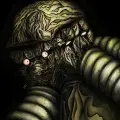

Nioh 3 - Screenshot 1



In the third game in the dark samurai action RPG series Nioh, you will need to use both Samurai and Ninja combat styles in your battles against formidable yokai as you explore a thrilling open field.
This game features an open field filled with the sense of tension characteristic of the "Nioh" series while also allowing you to explore to your heart's content. In this dark samurai world, you will encounter formidable yokai, explore menacing villages where darkness lurks, and struggle against the ominous presence of "the Crucible." You can enjoy an instantaneous and seamless switch between two combat styles during battle, facing your enemies head-on with Samurai Style and using quick movements and special techniques with Ninja Style.


Step-by-step setup process
Please review these important details before installation
Install necessary apps from Redist or _CommonRedist to ensure game launches without any problems.
Always extract game in Antivirus / Defender excluded folder - Please check our FAQs to know why it is important.
Always run the game as administrator.
For detailed guide, make sure to read Installation Guide.txt inside the game files.
Minimum specifications needed
This build ships with the online fix, so multiplayer and co-op work over the internet with friends running the same version — no extra patch to download. Everyone joins through the game's own lobby or invite system; keep the build identical on all machines when a new version is released. All games with an online fix
Action
201836.10 GB
Action
202631.90 GB
![NINJA GAIDEN Σ [NINJA GAIDEN: Master Collection]](https://ankergames.net/uploads/poster/03-2026/ninja-gaiden-s-ninja-gaiden-master-collection-poster_eAyPcS_1773945647.webp)
Action
20213.60 GB
Action
202038.50 GB
Community voices
Spot the sentiment at a glance, then dive into the stories that matter to you.
Average
/5recommend
100%
written
2
verified
4
Quick filters
Rating spread


Leaving AnkerGames
Your about to visit the following urlInvalid URL
Sign in to join the discussion · comment, reply and react
Discussion
Comments 22
Toneto
For anyone having the "steam not launched" issue, you just need to have steam open in the background. I almost gave up before trying this lol
Kyoung hoon Kim
· editedsteam error
Shah
· editedI was downloading through IDM but at 70% I had to restart my PC after that it is not resuming and I have also tried to paste new link but it is still giving me same error. Please someone help me I cant download it again
DjTechnics
· editedIv Got Error when run nioh3.exe - Steam is not launched
aaa
Thanks for the upload!
just wanna ask, how do I get rid of the online fix and play offline only?
Shah
· editedwhile extracting it is giving error that file is corrupted even though destination is excluded
zenn
· editedmultiplayer working right?
SS
· editedRunme.bat doesn't work, it says exe file not found. I have tried running the bat file from inside the folder and outside, both don't work.
xplicatt
For anyone having issue with the onlinefix64.dll you need to allow security permissions in windows to the folder of the game containing it before attempting to run it. If you don't it will give you that error and actually quarantine and/or delete it from the folder. I had to redownload it until i discovered this on a different title from this site. Good luck
DIGDIG
· editedbro my pc spec : intel i3 gen8, vga gtx 1060 6gb, ram 12gb, ssd 128gb, hdd 512gb,
any chance for me to play this game or not? (even nioh 3 demo)
Atreyu
· editeddownloaded this few weeks ago do I need to redownload when it gets updated?
V
· editedEvery time I try to launch the game it takes me to steam and says I have no licenses? what do I do?
Theodoros Karageorgos
· editedHello Team,
I have downloaded plenty games from you guys and all worked perfectly fine since Nioh3 (which probably is my fault)
After the download i extract the game with 7zip (typical procedure) and when i tried to run the .exe an error occured saying : Failed to load OnlineFix64.dll from the list. Error code:126
Could you please help ?
assadgamer
· editedis there a extra app to download for multiplayer
haji
· editedsteam not lunched error anyone know the fix ?