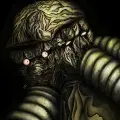

RuneScape: Dragonwilds - Screenshot 1


Your progress will be under constant threat from the looming shadow of the Dragons, as you level up, arm yourself and prepare to rise to face them. Follow the trail of destruction and uncover the mysteries of the continent to learn not just how to confront the dragons, but how to overcome them.
Prepare potions, craft gear and level yourself up to do battle with the most powerful force on the continent. Make history, or become history. The smart money's on the dragon. But we do love an underdog! Journey through the vast, vibrant regions of Ashenfall and unveil the ruins of forgotten civilisations to discover why wild, transformative magic spills from its fractured lands. Explode ore veins with a snap of your fingers. Conjure a spectral axe to chop down a line of trees in an instant. The Anima-rich landscape of Ashenfall offers you a power unlike any other.


Step-by-step setup process
Please review these important details before installation
Install necessary apps from Redist or _CommonRedist to ensure game launches without any problems.
Keep your antivirus on. If it quarantines a file and the game will not start, do not exclude the folder or switch protection off. Compare the archive's SHA-256 with the hash listed for the download, where there is one, then follow our Safety & Verification page to report it. If you decide to restore a file, restore that one file only.
Run the game as administrator only if it will not start or cannot save without it.
For a detailed guide, read the Installation Guide on our website.
Minimum specifications needed
The online fix is a separate download in the list below: install the game, then copy the fix's files into the game folder so multiplayer and co-op work over the internet with friends running the same version. Everyone joins through the game's own lobby or invite system; keep the build identical on all machines when a new version is released. All games with an online fix
Community voices
Spot the sentiment at a glance, then dive into the stories that matter to you.
Members earn 100 site points for an approved review of a game they downloaded here.
Average
/5recommend
100%
written
4
verified
2
Quick filters
Rating spread
Fresh off the press
Look for it at the top of the stream.

Não está funcionando o online.

Such a good game with a major update coming in september the content is rich and enjoyable same with the base building some things are questionable like theres no way of automating resources so grinding is a must and exploration is very nice but it was sometim...
Such a good game with a major update coming in september the content is rich and enjoyable same with the base building some things are questionable like theres no way of automating resources so grinding is a must and exploration is very nice but it was sometimes on the less optimized side when it comes to performance.
Perfect. no issues at all. Also a great game.





Leaving AnkerGames
Your about to visit the following urlInvalid URL
Sign in to join the discussion · comment, reply and react
Discussion
Comments 30
no
· editedIs there a way to remove the need for any steam or epic launcher/account, even if it means playing offline only? Needing to connect to the internet and log into a bunch of accounts just to open a game and play by myself is the kind of thing that I pirate to avoid in the first place.
Marc Gooding
· editedI got 3 different antivirus flags - Malgent (which ive seen others say is a false positive for online fix) Kepavll!rfn and Ravartar!rfn have come up as well and looking into it doesnt look great, but i dont know. anyone else get these 3 trojan alerts?
Ryken Vi
· editedThe EOS SDK could not be found. Please reinstall the application. help me pls
Mael
· editedHey, i've downloaded the game twice and each time it says "EOS SDK not found please reinstall the application" when launching the game and the online fix didn't fix this error. Has anyone had the same error or found a fix for it ? Thanks
Spandan Sah
· editedonce the update comes out to download, am I able to downlaod the update through my current folder for this game because I don't want to keep uninstalling and then reinstalling every time there is a new update.
mona199199
· editedmalgent is safe?
xiao101.
Game needs to be updated please
Beef_Elemental
· editedHello.
When I try to launch the game, I get an error "Steam is not launched", even though it is and the game immediately closes. I tried restarting Steam, redownloading the game, adding the game to Steam as a non-Steam game, and even running it through Lutris with the WineGE runner and nothing has worked so far.
LC
my friend if you update to build 25632050 i will love u long time
kyle
· editedkeeps opening steam and saying i dont own the license... what do i do?
Anker
· editedAny time estimate to get an update for the new 1.0.0.5 version?
Thanks for the great quality btw!
Shiva parasad
· editedIs it multiplayer
legendofslime_14910
· editedHey when i launch run me epic login site pops up and gamę diesnt launch
Alex
a new version is out, please update :3
hopeisthethingwithfeathers123
· editedi cant find the exe