
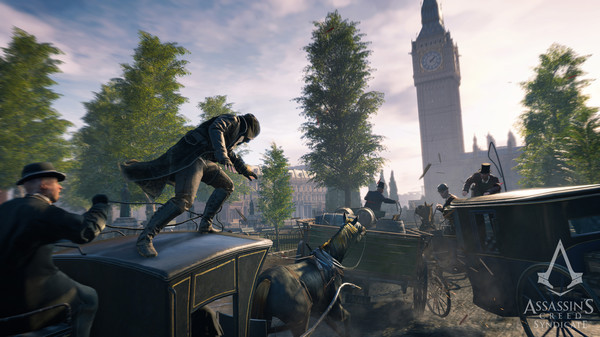
Assassin's Creed Syndicate - Screenshot 1



As Jacob Frye, a young and reckless Assassin, use your skills to help those trampled by the march of progress. From freeing exploited children used as slave labour in factories, to stealing precious assets from enemy boats, you will stop at nothing to bring justice back to London’s streets.
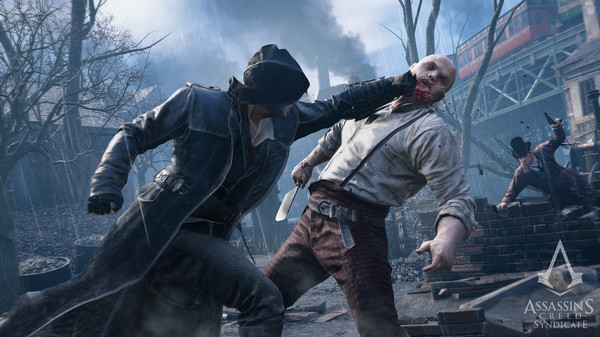
To reclaim London for the people, you will need an army. As a gang leader, strengthen your stronghold and rally rival gang members to your cause, in order to take back the capital from the Templars’ hold. In Assassin’s Creed Syndicate, action is fast-paced and brutal. As a master of combat, combine powerful multi-kills and countermoves to strike your enemies down and win a ticket in Valhalla. Choose your own way to fight enemies. Take advantage of the Rope Launcher technology to be as stealthy as ever and strike with your Hidden Blade. Or choose the kukri knife and the brass knuckles to get the drop on your enemies.
Step-by-step setup process
Please review these important details before installation
Install necessary apps from Redist or _CommonRedist to ensure game launches without any problems.
Always extract game in Antivirus / Defender excluded folder - Please check our FAQs to know why it is important.
Always run the game as administrator
For detailed guide, make sure to read Installation Guide.txt inside the game files.
Minimum specifications needed
Action
202594.80 GB

Action
20029.10 GB
Action
200418.50 GB

Action
202269.20 GB
Community voices
Spot the sentiment at a glance, then dive into the stories that matter to you.
Average
/5recommend
100%
written
0
verified
2
Quick filters
Rating spread
Fresh off the press
Look for it at the top of the stream.


Leaving AnkerGames
Your about to visit the following urlInvalid URL
Sign in to join the discussion · comment, reply and react
Discussion
Comments 8
VoryxKaldan
· editedIs the Jack the Ripper DLC available here?
Tobby
· editedHow do i make it go to full sreen?
V.SANJAY007
· editedAssassin's Creed Syndicate HAVE DLC...?
Daniel
Could you please help me provide Spanish voices for the characters?
Shadman Khan
· editedWhere to find the save file location? So I can carry over my saves pls
Swareet Umesh Mhatre
when i try to run on admin, it shows that MSCVP110.dll and MSCVR110.dll to be not found. Although this is all i have recieved from the RAR file that i have downloaded, the files it asks for have not been there in it
Adam
peter