

God of War III Remastered - Screenshot 1



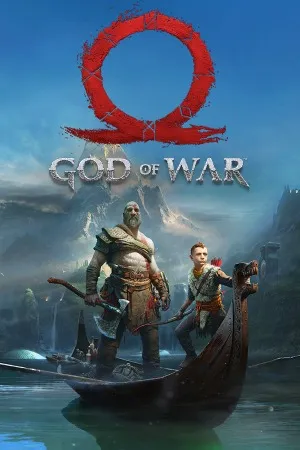
In the end, there will be only chaos Take on the fearless role of Kratos, the ex-Spartan warrior, as he unleashes chaos on the gods who have betrayed him. Rise from the depths of Hades to the heights of Mount Olympus in a final bid for bloody vengeance.
This closing chapter of the God of War trilogy is easily one of the greatest gaming spectacles in PlayStation® history, perfect for anyone who wants to relive the action in stunning 1080p, or for those who may have missed out first time round. And with the brand new photo mode, you can now freeze the jaw-dropping action to edit, save and share photos – right from the heart of the carnage. It’s hard to stay mad at a game that’s so pretty, though. God of War 3’s already impressive graphics aged reasonably well over the past five years, and are even better with modern textures and lighting. Walls in Olympia gleam more brightly and shadows in Hades flickr more ominously. Blood sprays through the air with the elegance of a leaping ballet dancer. Kratos, too, is much improved: his armor is wrought with fine detail and is oft-splattered in shiny gore. It may be strange to say violence has a beauty to it, but the glossy HD graphics make even the macabre pretty.


Step-by-step setup process
Please review these important details before installation
Install necessary apps from Redist or _CommonRedist to ensure game launches without any problems.
Always extract game in Antivirus / Defender excluded folder - Please check our FAQs to know why it is important.
Always run the game as administrator.
For detailed guide, make sure to read Installation Guide.txt inside the game files.
Minimum specifications needed
Action
202527.90 GB
Action
201512.30 GB
Community voices
Spot the sentiment at a glance, then dive into the stories that matter to you.
Average
/5recommend
86%
written
12
verified
13
Quick filters
Rating spread
Constructive critique
raza
1.0/5 • not open
New ChallengerPrem
1.0/5 • not opean
New ChallengerFresh off the press
Look for it at the top of the stream.
not bad but lol compared to new gods
why my game is not open

always gonna give 5 stars for no viruses

Leaving AnkerGames
Your about to visit the following urlInvalid URL
Sign in to join the discussion · comment, reply and react
Discussion
Comments 105
Pinned by moderators
Shivam Jaiswal
· editedFOR ANYONE HAVING PROBLEMS OR CONFUSION WITH THE SETUP
If you're having trouble setting up God of War III Remastered, don't worry. Follow this guide from the beginning. It explains where to find the required files, how to set up the folders, and how to configure the launcher.
STEP 1 – Find Your Game Folder
Win + E.Your folder location may look like this:
Your drive letter may be different, such as D, E, F, G or H.
STEP 2 – Find eboot.bin
gamefolder.eboot.binand press Enter.Make sure you are inside the correct game folder.
STEP 3 – Check the Required Files
Open the
sce_modulefolder inside yourgamefolder.Check whether these two files are present:
Make sure both files are present and their sizes are not 0 KB.
Your main
gamefolder should look similar to this:If either file is missing, you need to re-extract or obtain a complete, legitimate game dump.
STEP 4 – Place Run Me!.bat
Run Me!.batfrom the setup package.gamefolder.Run Me!.batdirectly inside thegamefolder.It should be in the same location as
eboot.bin, not insidesce_module.Only run batch files from a trusted source.
STEP 5 – Create a Save Folder
Keep this path ready. You will need it when configuring the launcher.
STEP 6 – Open the Launcher
You will see options such as:
STEP 7 – Select the Game Folder
God of War III Remasteredfolder.gamefolder.Example:
Important: Select the
gamefolder itself, not thesce_modulefolder or its parent folder.STEP 8 – Configure the Other Folders
Update folder (Optional)
Saves folder
save godfolder you created earlier.Patches folder
STEP 9 – Save Your Settings
Your settings should now be saved.
STEP 10 – If You Get the Game Dump Incomplete Error
If the launcher displays this error:
Don't panic.
Follow these steps:
gamefolder.sce_module.gamefolder where you checked the files.If the files are missing or empty, obtain a complete, legitimate game dump rather than downloading random replacement files.
STEP 11 – Start the Game
Once everything is configured:
That's it! Your setup is ready. Enjoy God of War III Remastered!
A QUICK REMINDER: The most important thing is to select the correct
gamefolder in the launcher. It must be the folder containingeboot.bin,sce_moduleandsce_sys.ANDRIANASOLO
· editedBonjour,
J'ai téléchargé God of War III Remastered (CUSA01715 v01.02) sur votre site.
Le jeu fonctionne correctement, mais les voix françaises sont absentes. Seules les voix anglaises fonctionnent.
Est-il possible d'obtenir les fichiers audio français manquants ou une version complète du jeu comprenant le doublage français compatible avec SpartanPort 3.0.0 ?
Merci pour votre aide.
Fang Yuan
· editedI'm new to this, so I don't really know how to download games or set everything up. Could someone please guide me through the process?
Veeram Prakash reddy
· edited! D:\God-of-War-III-Remastered-AnkerGames.zip: Checksum error in D:\God-of-War-III-Remastered-AnkerGames\God of War III Remastered\game\EXEC\CINEMATICS\BONUSPOSEIDON.BSF. The file is corrupt
i got this when i am extracting ?
Voldermort
· editedHelp me this error:-
gow3-probe.exe - Entry Point Not Found
The procedure entry point vkGetPhysicalDeviceFeatures2 could not be located in the dynamic link library C:\New folder (2)\God of War III Remastered\gow3-windows\bin\gow3-probe.exe.
Fabinho Moreira
· editedFunciona perfeitamente, ainda aparece alguns artefatos, nada que atrapalhe, muito bom, parabéns ao site e ao Zoro!
demon.ic_07
· editedwhenever i hit play it gets stuck in a black screen
mulayim
· editedkafam almıyo
Aishik
· editedIt worked completely fine. Thanks to ankergames and the developer of this
kratos
· editedcan i play using gamehub emulator? and is this game will run through launcher or directly like other pc games??
romulusmessiah
· editedIs this a port?
Gagara Roderick
· editedCan you make a video of how to lunch the game, some of us are still struggling to lunch it after all the steps given
Yash
· editedunhandled exception in script problem how should i solve it
SmUggLer
· editedDownloaded the game through torrent, but after download unable to extract giving error in several files.
Umar Ayub
· editedWhen i hit the play button, it's just showing black screen....