

Content Warning - Screenshot 1



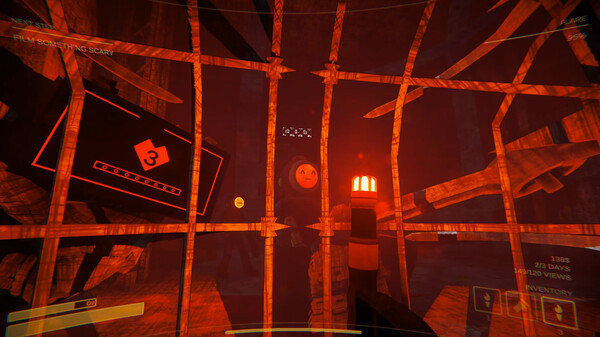
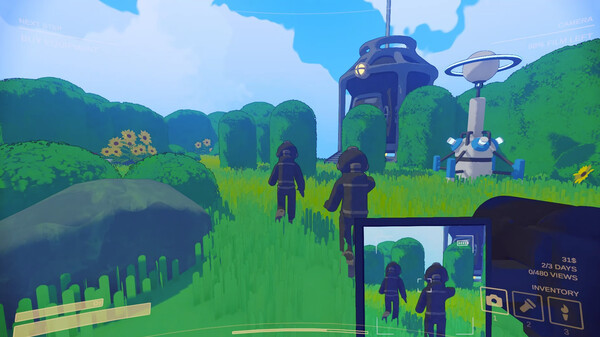
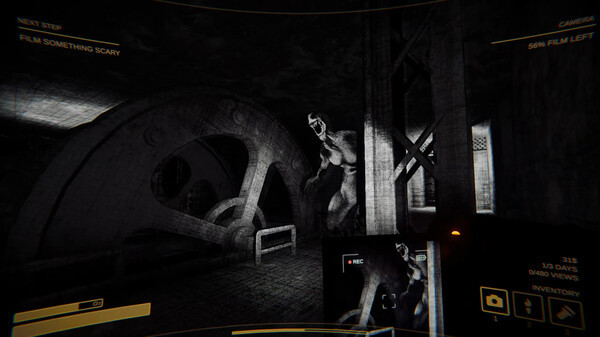
Get famous or die trying! Content Warning is a co-op horror game where you film spooky stuff with your friends to try and go viral. Squad up, customize your face with the ASCII face customiser, buy some gear and use the diving bell to go down to the Old World!
Down there you’ll encounter scary physics-animated monsters, cursed relics and other artefacts! Film as many scary things as possible like Zombies before you run out of oxygen, camera battery or friends… If you survive, you need to get back in the diving bell to transport you and the remaining members of your team to the surface. Upload your chaotic footage to SpöökTube, settle in for a watch party, and wait for the views to tick up! Every run goes on for 3 days, the more scary stuff you film, the more you go viral. The ad revenue from your SpöökTube videos enables you to upgrade your gear to film better videos and survive more easily in the Old World.
Step-by-step setup process
Please review these important details before installation
Install necessary apps from Redist or _CommonRedist to ensure game launches without any problems.
Always extract game in Antivirus / Defender excluded folder - Please check our FAQs to know why it is important.
Always run the game as administrator
For detailed guide, make sure to read Installation Guide.txt inside the game files.
Minimum specifications needed
The online fix is a separate download in the list below: install the game, then copy the fix's files into the game folder so multiplayer and co-op work over the internet with friends running the same version. Everyone joins through the game's own lobby or invite system; keep the build identical on all machines when a new version is released. All games with an online fix
Community voices
Spot the sentiment at a glance, then dive into the stories that matter to you.
Average
/5recommend
100%
written
0
verified
1
Quick filters
Rating spread
Fresh off the press
Look for it at the top of the stream.







Leaving AnkerGames
Your about to visit the following urlInvalid URL
Sign in to join the discussion · comment, reply and react
Discussion
Comments 19
elle
· editedhey guys sorry but even with the online fix folder pasted in the main game folder, it still wont let me invite my friends. any ideas? also i've seen that all you need is a room code to join, where should i find it if it's easier?
Dominick Innocenti
· editedStill says offline even when I copy the online fix files into the main game folder. Ive tried both exes, different pasting locations, and it still is offline.
heheha
· editedmultiplayer is not working.
it says I am offline and I can't get my invite code when I am hosting and joining via steam sends me to a room with a code "XROOM" and null objective and just weird camera.
can someone fix this please?
guy
· editedhow to enable multiplayer zoro
shiva
how do we invite friends ?
rweeq.
· editedZoro does multiplayer work
vaclav
vaclav
· editedIs multiplayer working ?
Sammy
· editedDOES MULTIPLAYER WORK
ahmed_ibr0
· editedonline work ?
vixxen
· editedit says offline how to fix this
bleucat
· editedis this safe? when my download finished it said virus detected
peter
peter
peter