
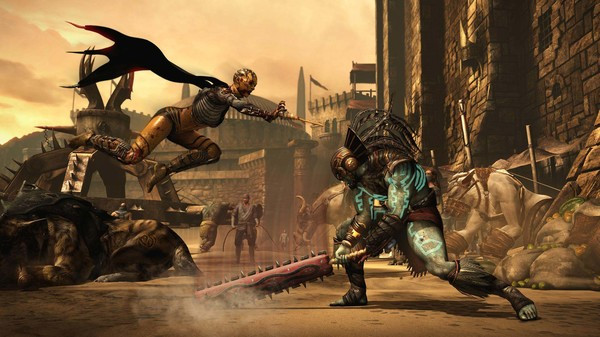
Mortal Kombat X - Screenshot 1



Who’s Next? Experience the Next Generation of the #1 Fighting Franchise. Mortal Kombat X combines unparalleled, cinematic presentation with all new gameplay. For the first time, players can choose from multiple variations of each character impacting both strategy and fighting style.
Amazing game, loved the gameplay, graphics hold up and all the single player content is robust enough. The online nowadays sucks a lot of ducks tho. But the core experience is still intact. Great character design, over trashed story as you expect it on a MK game, OKish monetization, great fatalities and movement. I only had some performances issues when this game was released. I really liked that iteration of the series, when looking at what came after (MK 11 and MK1).. TEKKEN 8
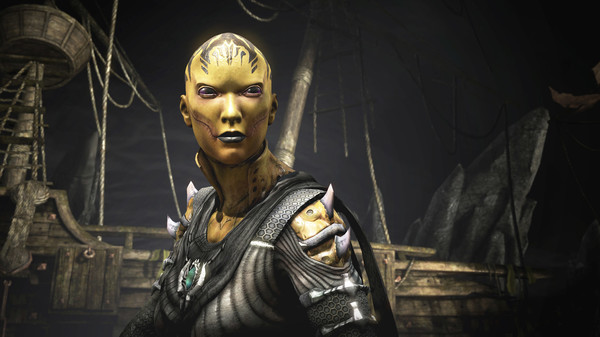
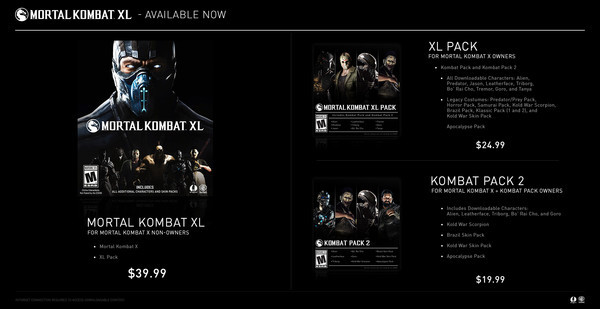
Step-by-step setup process
Please review these important details before installation
Install necessary apps from Redist or _CommonRedist to ensure game launches without any problems.
Always extract game in Antivirus / Defender excluded folder - Please check our FAQs to know why it is important.
Always run the game as administrator
For detailed guide, make sure to read Installation Guide.txt inside the game files.
Minimum specifications needed
This build ships with the online fix, so multiplayer and co-op work over the internet with friends running the same version — no extra patch to download. Everyone joins through the game's own lobby or invite system; keep the build identical on all machines when a new version is released. All games with an online fix
Action
201628.30 GB
Action
20128.70 GB
Action
202623.40 GB
Community voices
Spot the sentiment at a glance, then dive into the stories that matter to you.
Average
/5recommend
100%
written
0
verified
0
Quick filters
Rating spread
Fresh off the press
Look for it at the top of the stream.
Leaving AnkerGames
Your about to visit the following urlInvalid URL
Sign in to join the discussion · comment, reply and react
Discussion
Comments 44
Pinned by moderators
.yorts
· editedHELP! MY GAME IS NOT LAUNCHING!
Make sure you run the game through Steam.
HOW DO I CHANGE THE LANGUAGE FROM RUSSIAN TO ENGLISH?!
jose
can i play with my bro in the same pc?
Kiritoooo
I did it all but I can't launch the game
Raju mahadev
How do my controller work in it please reply it
kenpachi
hello please i wanna know how to get my controller working. Thank you and i appreciate what you do
mr unique
controller not working?
Mixer
· editedhow to save this game, because everytime i close the game and than open it again, the progress is gone, and i start from the beginning again
Gamer 46
· editedHoy to change language into English
branko
· editedworking perfect
jai
· editedMK10.exe - System Error
The code execution cannot proceed because amd_ags_x64.dll was not found. Reinstalling the program may fix this problem
how to solve?
Yatharth Parulkar
· editedhow do i change language from russian to english???
shantanu
· editedafter opening from steam the game is working fine but when i have the window to select my character and when i click up ad down button for selecting my character then the buttons are not working also after going inside the game to know controls
Anshul
· editedexcecution code can not proceed becuase MSVCP110.DLL was not found, How i can fix this?
Vibhav Kumar
· editedThe application was unable to start correctly (0xc000007b). Click OK to close the application. (I MADE SURE MY DEFENDER WAS OFF ALSO NOTHING WAS IN MY PROTECTION HISTORY TO RESTORE ALSO MSVCP.DLL AND MSVCR,DLL WAS MISSING I DOWNLOADED IT MANUALLY STILL GAME DID NOT RUN SHOWING THIS ERROR WHAT TO DO NOW ZORO?
)
Vibhav Kumar
· editedMK10.exe - System Error
X
The code execution cannot proceed because amd_ags_x64.dll was not found. Reinstalling the program may fix this problem
Ranveer Talwar
· editedI AM NOT ABLE TO PLAY WITH A CONTROLLER