
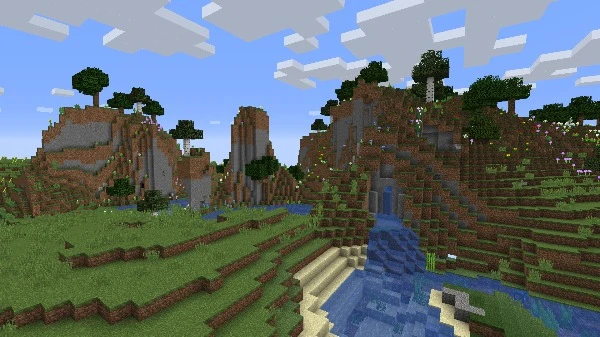
Minecraft - Screenshot 1



Minecraft is a game made up of blocks, creatures, and community. You can survive the night or build a work of art – the choice is all yours. But if the thought of exploring a vast new world all on your own feels overwhelming, then fear not! Let’s explore what Minecraft is all about!
Minecraft has no set goal and can be played however you’d like! This is why it’s sometimes called a “sandbox game” – there are lots of things for you to do, and lots of ways that you can play. If you like being creative, then you can use the blocks to build things from your imagination. If you’re feeling brave, you can explore the world and face daring challenges. Blocks can be broken, crafted, placed to reshape the landscape, or used to build fantastical creations. Creatures can be battled or befriended, depending on how you play. The world of Minecraft allows for epic adventures, quiet meditations, and everything in between. You can even share your creations with other players, or play in community worlds! American Truck Simulator
Step-by-step setup process
Minimum specifications needed
This build ships with the online fix, so multiplayer and co-op work over the internet with friends running the same version — no extra patch to download. Everyone joins through the game's own lobby or invite system; keep the build identical on all machines when a new version is released. All games with an online fix
Action
201114.00 GB

Action
2025102.78 GB
Community voices
Spot the sentiment at a glance, then dive into the stories that matter to you.
Average
/5recommend
100%
written
14
verified
11
Quick filters
Rating spread
Fresh off the press
Look for it at the top of the stream.
jajjajaajja
beautiful

Minecraft hehe
Leaving AnkerGames
Your about to visit the following urlInvalid URL
Sign in to join the discussion · comment, reply and react
Discussion
Comments 203
Pinned by moderators
rtomikdragneel_16498
· editedIf you are getting the same ERROR as me (that is Error code 126 or failed to load OnlineFix64.dll) then here are the steps to fix it.
The "Failed to load OnlineFix64.dll from the list (Error code 126)" error means your antivirus software or Windows Defender deleted or quarantined the file because it flagged it as a false positive threat
Open the Start Menu and type Windows Security.
Click on Virus & threat protection.
Click on Protection history.
Find the blocked threat associated with OnlineFix64.dll.
Click Actions and choose Allow or Restore
Go back to Virus & threat protection.
Click on Manage settings under Virus & threat protection settings.
Scroll down to Exclusions and click Add or remove exclusions.
Click Add an exclusion and select Folder.
Choose the main directory folder where your game is installed.
Re-Extract or Reinstall (If the file is gone)
I did this and it worked, Thanks
poopoo
· editedhow to uninstall it bro pls help
loser0_1
· editeddoes it load java?
raj
· editedi can play on window11
Alex
· editedDoes this give you access to the full game? Or because you are using a trial version you only have access for a limited time?
pranav
· editedcould play in an aternos server ?
abhishek kumar
· editedvirus detected
loser0_1
· editedi cant find the ''launcher.exe''
user
· editeddexter
· editedcan i play with someone who has orginal miecraft
Esakki Raj
· editedvirus detected.. in the file
simon
can we use mods?
MineUW
can i use lunar client or badlion ?
sloreh
· editedis this java or bedrock?
Sukuna
i have some questions
1st can we use it on tlaunche or its minecraft launcher only
2nd can we play in servers like Hypixel
plz answer me nicely i am tired of trying many launcher and tricks
dare devil
how to download in windows 11 ?