
Darkwood - Screenshot 1



Survive the horrors of the Darkwood as you explore the ever-changing world by day, and seek shelter to survive the night. Scavenge for vital resources, build your defenses, and pray for the morning light. How you came to this ruined land is a mystery, but now your determination to escape is set. But to leave, you must first survive.
Explore multiple dense biomes as you make your way from hideout to hideout, while accumulating the resources, allies, and information you need. The locals of the woods have a variety of dark quests and rewards for those brave enough to indulge their requests. However, the twisted inhabitants of the forest are often at odds with each other, and hard decisions will need to be made. The story will change based on your choices as you slowly uncover the mysteries of the Darkwood. Would you doom an entire village in hopes of reward from a creature, or try to assist what pockets of humanity remain? From festering catacombs to fetid swamps, Darkwood’s landmarks, quests, and encounters are all carefully hand-crafted.
However, with each new game, the woods and places of interest will rearrange, ensuring that you’re never quite certain of your path in the woods while also giving new opportunities with each playthrough. Rather than momentary startles made to jolt you in your chair and then be forgotten, the most terrifying moments are designed to linger in your memories long after your journey ends. Some threads of terror will be immediately clear, but others may not be obvious without careful analysis of your discoveries in the world and your conversations with its inhabitants. This is a slow burn, atmospheric horror game with no jumpscares.


Step-by-step setup process
Please review these important details before installation
Install necessary apps from Redist or _CommonRedist to ensure game launches without any problems.
Always extract game in Antivirus / Defender excluded folder - Please check our FAQs to know why it is important.
Always run the game as administrator.
For detailed guide, make sure to read Installation Guide.txt inside the game files.
Minimum specifications needed
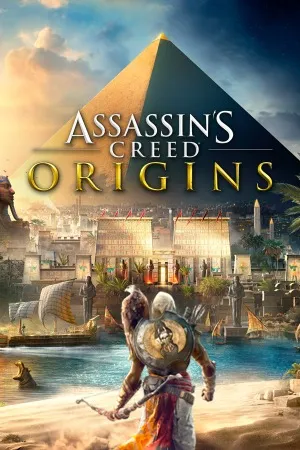
Action
201756.10 GB
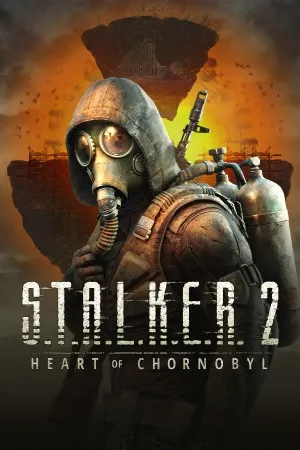
Action
2024177.60 GB
Community voices
Spot the sentiment at a glance, then dive into the stories that matter to you.
Average
/5recommend
100%
written
0
verified
0
Quick filters
Rating spread
Fresh off the press
Look for it at the top of the stream.

Leaving AnkerGames
Your about to visit the following urlInvalid URL
Sign in to join the discussion · comment, reply and react
Discussion
Comments
Start the conversation
Be the first one to share your thoughts!