

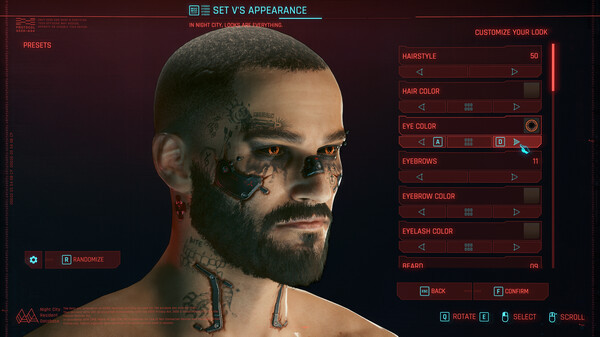
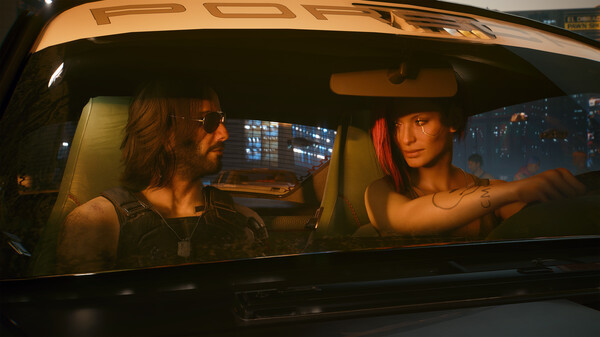
Cyberpunk 2077 - Screenshot 1



Cyberpunk 2077 is an open-world, action-adventure RPG set in the megalopolis of Night City, where you play as a cyberpunk mercenary wrapped up in a do-or-die fight for survival. Improved and featuring all-new free additional content, customize your character and playstyle as you take on jobs, build a reputation, and unlock upgrades.
Express yourself with free Update 2.2! Customize your character with new variants of cosmetic cyberware, tattoos, and makeup. Take your ride to the next level with Rayfield’s exclusive CrystalCoat technology, letting you swap colors on luxury and sports cars. Plus, dive into the enhanced photo mode to capture every moment in stunning detail. Become an urban outlaw equipped with cybernetic enhancements and build your legend on the streets of Night City. Night City is packed to the brim with things to do, places to see, and people to meet. And it’s up to you where to go, when to go, and how to get there. Check out another similar game called Ghostrunner.

Step-by-step setup process
Please review these important details before installation
Install necessary apps from Redist or _CommonRedist to ensure game launches without any problems.
Always extract game in Antivirus / Defender excluded folder - Please check our FAQs to know why it is important.
Always run the game as administrator
For detailed guide, make sure to read Installation Guide.txt inside the game files.
Minimum specifications needed
Adventure
201563.00 GB
Fantasy
201112.00 GB
Action
200810.30 GB
Action
2024177.60 GB
Community voices
Spot the sentiment at a glance, then dive into the stories that matter to you.
Average
/5recommend
100%
written
23
verified
17
Quick filters
Rating spread
Fresh off the press
Look for it at the top of the stream.

<b>zqx</b> review marker
GOOOOOOOOOD MORNING, NIGHT CITY!
absolute cinema

Leaving AnkerGames
Your about to visit the following urlInvalid URL
Sign in to join the discussion · comment, reply and react
Discussion
Comments 114
Pinned by moderators
Fernando
· editedC:\Users\Public\Documents\Steam\CODEX\2095420 - your older version saves should be here , just transfer them to C:\Users\Public\Documents\Steam\RUNE\2095420 if it is not auto detected. 90% it should be autodetected if its still not I have told u the locations
If you have mods installed and game is crashing follow this- credits to @ bucklou on csrin
Delete the file input_loader.ini located in the C:\Cyberpunk 2077\engine\config\platform\pc folder
Rename scc.exe (in Cyberpunk 2077\engine\tools) to scc.exe.disabled
Rename scripts.ini (in Cyberpunk 2077\engine\config\base) to scripts.ini.disabled
If you have any mods installed, delete the RED4ext folder in the game root folder
How to change the language and run the game
Change language
Install the Language Packs and you will find "archive > pc > content & ep1". You don't need to copy all the file, just search the language that you need. Select the correct "lang_[language]_voice.archive" in both file of Language Packs and paste it in "content" & "ep1" in the base game, here is the location to paste the "Cyberpunk-2077-AnkerGames\Cyberpunk 2077\archive\pc".
After adding the voice.archive, you need to change language in "steam_emu.ini" You will see a line that says "Language=english", change it with the code to the correct format of your selected language:
Example: for espanish change for "Language=spanish".
To run the game
After changing the language if you need, next steps is to launch "REDlauncher", after launching, clic on Next and choose the option Repair.
This is an important action after you change the language.
After the repair you can run the game with REDprelauncher.
Is very important to exclude the game file of Windows Defender and also extract the game with 7zip o Nanazip.
aads
· editedLOVE U GUYS FOR THE UPDATE!
Vicky
· editedMy game keeps crashing everytime I install mods any idea on what to do?
Lanouv
· editedI've been tryna download the game but everytime I try to extract it i js get error
The Gambler
· editedWhat's the different between Direct and Language Pack (Txt File contains links) and does this include the latest update that was released today?
Carac7
· editedHow do i update the game?
shreyas
· editedheyy if the update gets published am i supoosed to downlad the entire game again i have alredy prevously installed thr game from this website
tripplsix.
· editedwhens the update gonna release on this site
la.hollow.
· editedplz update, ily
Lurkin
· editedwe need the update please!
scout
· editedupdate!!
sam
· editedcould someone reply to this when the 2.5 updated gets added. thanks.
aads
· editedWHERES THE UPDATE!!! TT
Zac Roy
· editedWill version 2.5 (Edgerunners Season 2 Update) be available for download separately? The update came out today on all platforms.
Light Yagami
· editedcan we get the recent edgerunners season 2 update?